
How to Prepare Your Artwork for Giclée Printing
A Step-by-Step Guide

Introduction
Giclée printing is the gold standard for fine art and photography reproduction, offering museum-quality prints with outstanding colour accuracy and longevity. However, to achieve the best results, proper file preparation is crucial.
In this guide, we’ll walk you through step-by-step instructions on how to prepare your artwork for Giclée printing in Bath, ensuring your final prints look stunning and professional.
Choosing the Right File Format and Resolution
The quality of your Giclée print starts with the file format and resolution. To ensure sharp, detailed prints, follow these best practices:
File Formats Recommended for Giclée Printing:
- TIFF (.tif) – Best for high-quality images with lossless compression.
- PNG (.png) – Good for artwork with transparent backgrounds.
- JPEG (.jpg) – Acceptable, but should be saved at the highest quality setting.
- PDF (.pdf) – Suitable for vector-based designs.
Resolution & DPI Settings:
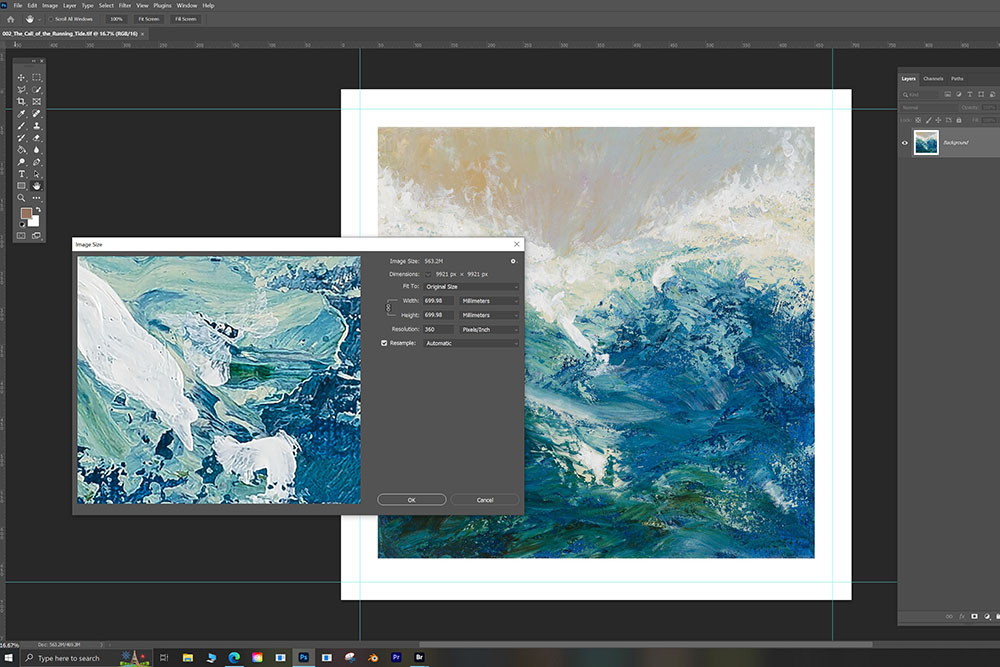
- Set your artwork to 300 DPI (dots per inch) or higher.
- Use the correct dimensions for the final print size.
- Avoid resizing small images to a larger format, as this can cause pixelation.
If you’re unsure about your file settings, most Giclée printing services in Bath, including imagecentre.com, offer a free file check before printing.
Colour Calibration: How to Ensure Accurate Colours in Your Prints
Colour accuracy is vital when reproducing fine art and photography. Giclée prints use pigment-based inks, which require precise colour management.
Best Practices for Colour Calibration:
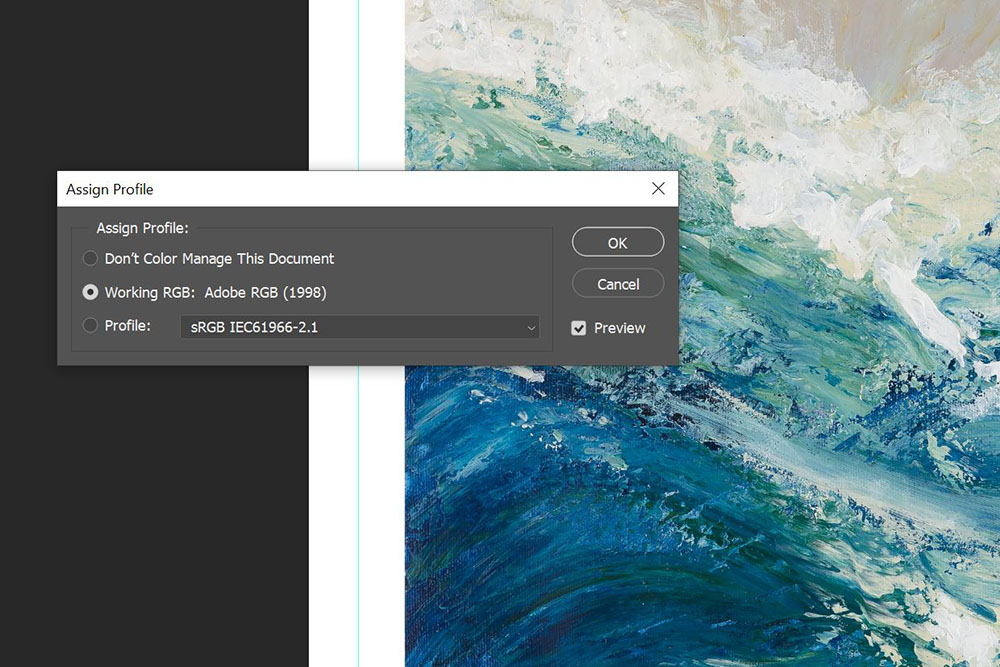
- Use the Adobe RGB (1998) or sRGB colour profile for consistent results.
- Avoid CMYK unless specified, as Giclée printers operate in RGB mode.
- Calibrate your monitor using a colour calibration tool (e.g., X-Rite i1Display or Datacolor Spyder).
- Order a test print or proof to check colour accuracy before the final print run.
Professional Giclée print studios in Bath will have colour-managed workflows to ensure your prints look exactly as intended.
Selecting the Best Paper for Your Giclée Print
The choice of paper or canvas affects the final look and feel of your Giclée print. Different materials suit different artistic styles.
Best Paper Options for Giclée Printing:
| Paper Type | Best For | Features |
|---|---|---|
| Hahnemühle Photo Rag | Fine art prints, watercolours | Smooth, matte finish, archival quality |
| Canson Infinity Edition Etching Rag | Photography & digital art | Soft texture, excellent colour depth |
| Somerset Velvet | Gallery prints | Rich texture, museum-quality |
| Canvas | Large prints & stretched artwork | Durable, textured surface |
If you’re unsure which paper to choose, consult your local Giclée printing service in Bath to find the best match for your artwork.
Common Mistakes to Avoid When Preparing Artwork
Even experienced artists and photographers make mistakes when preparing files for Giclée printing. Here are some key errors to watch out for:
Common Mistakes & How to Fix Them:
- Low-resolution images – Always set your file to 300 DPI or higher.
- Incorrect colour profile – Use Adobe RGB (1998) or sRGB for accurate colour reproduction.
- Not allowing for bleed/margins – Leave a 3-5mm margin if needed for framing.
- Forgetting to flatten layers – Merge layers in Photoshop or Illustrator to prevent print errors.
By following these best practices, you’ll ensure your Giclée prints come out looking professional, vibrant, and long-lasting.
Conclusion
Properly preparing your artwork for Giclée printing is crucial to achieving high-quality, professional results.
At imagecentre.com, we specialise in Giclée printing in Bath, using state-of-the-art pigment-based printers and archival-quality papers to bring your artwork to life.
Need help preparing your files? Contact us today for expert advice and a free file check!
Call us or visit our Bath studio to see paper samples and discuss your printing needs.